
Pipefitter3.90 - Google Play
You'll be able to see results in few seconds.
Publisher Description
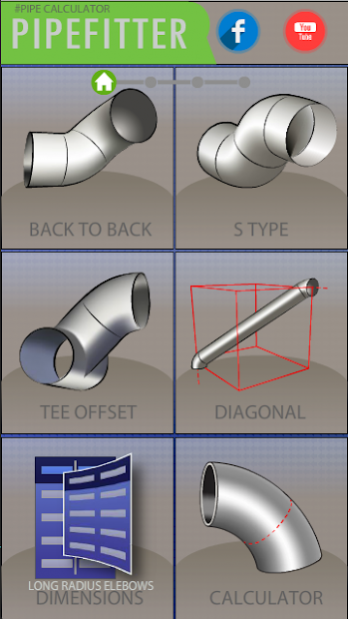
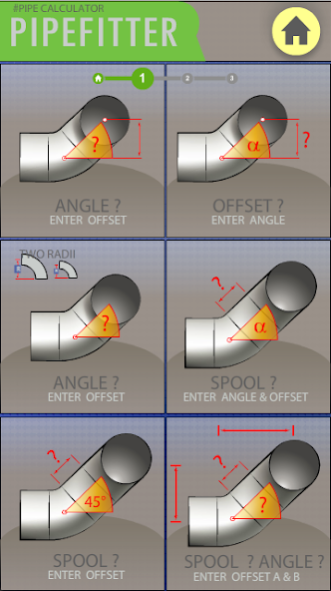

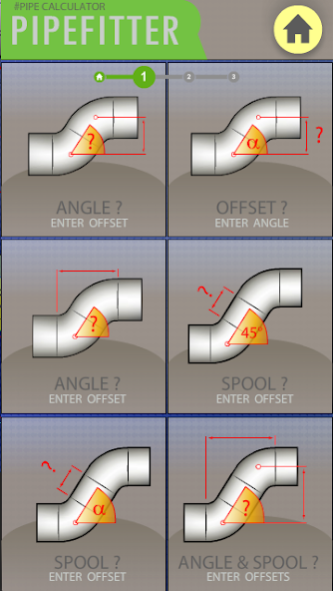
Application Pipefitter allows you to calculate odd angles, elbows, tees, problematic offset pipes and mark them with measuring tape, caliper or height gauge on the work bench. You can measure everything in a simple way: from "face to face", or ”center to center”, and quickly get the solution in the App. Standard pipe sizes and long radius elbows (including ANSI and DIN) can be selected from the list of up to 40 inches.
The entire process consists of three steps:
1) determining the purpose of calculation (question mark symbol)
2) entering the data
3) displaying the result of a calculation.
The result: we have all the necessary information which are needed to create and fold your pipe. Drawings clearly show you the way of what you are looking for and what you need to do. It speeds up the process of work of pipe fitters.
The application is being updated all the time and oriented to develop and extend, basing on suggestions of other pipe fitters.
About Pipefitter
The company that develops Pipefitter is IT Tomizon. The latest version released by its developer is 3.90.
To install Pipefitter on your Android device, just click the green Continue To App button above to start the installation process. The app is listed on our website since 2019-05-06 and was downloaded 0 times. We have already checked if the download link is safe, however for your own protection we recommend that you scan the downloaded app with your antivirus. Your antivirus may detect the Pipefitter as malware if the download link to air.PIPEFITTER800X480 is broken.
How to install Pipefitter on your Android device:
- Click on the Continue To App button on our website. This will redirect you to Google Play.
- Once the Pipefitter is shown in the Google Play listing of your Android device, you can start its download and installation. Tap on the Install button located below the search bar and to the right of the app icon.
- A pop-up window with the permissions required by Pipefitter will be shown. Click on Accept to continue the process.
- Pipefitter will be downloaded onto your device, displaying a progress. Once the download completes, the installation will start and you'll get a notification after the installation is finished.
Program Details
System requirements
Download information
Pricing
Version History
version 3.90
posted on 2019-05-06
* fixed bugs
* calculate tee-branch
* add short radius SR
version 3.90
posted on 2019-05-06
* fixed bugs
* calculate tee-branch
* add short radius SR
version 2.633
posted on 2016-06-12
clearer drawings in the section data entry,calculate the angle of 45 degrees or enter any other angle,new functions,new table to 40 inches,Inches / mm,diagonal center to center
Disclaimer
Official Google Play Link
We do not host Pipefitter on our servers. We did not scan it for viruses, adware, spyware or other type of malware. This app is hosted by Google and passed their terms and conditions to be listed there. We recommend caution when installing it.
The Google Play link for Pipefitter is provided to you by apps112.com without any warranties, representations or guarantees of any kind, so access it at your own risk.
If you have questions regarding this particular app contact the publisher directly. For questions about the functionalities of apps112.com contact us.
